
Enclave, VDI, or Full Scope? The Decision Behind Your Bill
You get to choose how CUI lives in your environment, and the choice sets your bill. The smallest boundary on paper isn’t automatically the cheapest one in real life.

Picture a company that builds a tight enclave and cuts its in-scope assets from eighty down to twelve. They celebrate, and they should. Then the invoices start arriving. A virtual desktop provider. A managed security service running the perimeter. A cloud provider holding the CUI. Three new vendors, three new contracts, and each one now part of how the company protects CUI.
They shrank an asset problem into a vendor problem, and nobody had run that math first.
This isn’t a story against enclaves. It’s a story about choosing your architecture with your eyes open, because the smallest boundary on paper isn’t automatically the cheapest one in real life.
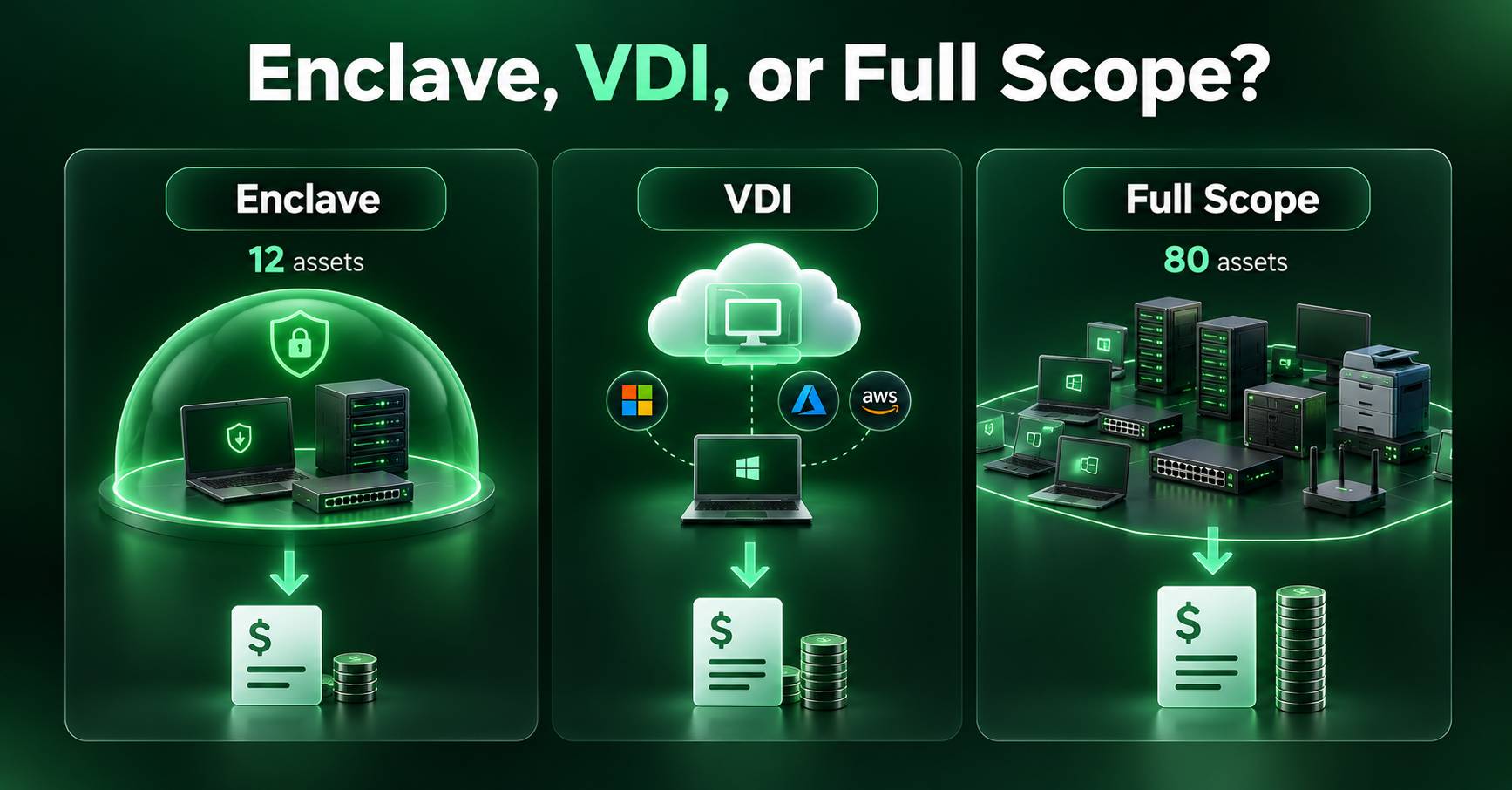
Three doors, and the smallest isn’t a free win
One principle worth carrying into this decision still holds: scope is the price. This week is about paying it wisely, because you actually get to choose how CUI lives in your environment, and the choice sets your bill. There are three realistic ways to do it, and the biggest mistake I see is assuming one of them is universally best. None of them is. The right one is simply the one that fits your business, your people, and your budget at the same time.
Full scope.
You maintain CUI across a broader enterprise environment rather than separating it into a smaller enclave. This may reduce the need to redesign existing workflows, but it can increase the number of systems, users, and processes that need security protections and ongoing management. Depending on your starting point, it may be simpler to implement or substantially more expensive to maintain.
Enclave.
You contain CUI work in a separated environment inside your network, so the systems carrying the full set of protections are limited to what’s inside. The footprint drops sharply. The build effort, and the provider list, go up.
VDI.
CUI is maintained in a centrally managed environment, and users access it through virtual desktops. Properly configured VDI can reduce local storage, limit CUI movement, and simplify management. But VDI does not automatically remove endpoints from scope. Their classification depends on how the environment is configured and what those devices can actually do with CUI. Performance and usability also matter, especially for engineering applications such as CAD and simulation.
The mistake is chasing the smallest number
After hearing that scope is the price, the natural move is to grab whichever door produces the smallest asset count. But the smallest count has two catches that don’t show up on the diagram.
The first is the provider dependency. Reducing your internal asset count doesn’t eliminate the security responsibilities that come with outside services. A VDI provider, cloud host, or managed security provider may become part of your CUI protection strategy, depending on what the service does and what information it handles. Each relationship needs to be evaluated for applicable security requirements, shared responsibilities, contractual obligations, and the evidence you need from that provider. You may reduce the systems you manage directly while increasing the services you depend on.
The second is the leak. A boundary is only real if people will work inside it. If the enclave is clumsy or the VDI session is too slow, your engineers find a way around it, and the moment CUI slips back out, the scope you claimed to shrink didn’t actually shrink. It just has a diagram attached that’s no longer true.
Fit beats size
The cheapest architecture isn’t the smallest one. It’s the one that fits how you actually work.
That’s the shift a System Owner has to make. The architecture you choose determines how your organization protects CUI, how employees do their jobs, what systems your IT team must maintain, and which outside providers you depend on. Those decisions affect both security and cost long before an assessment enters the picture. Design something that looks clean in the diagram but doesn’t fit the work, and you’ve built a boundary that leaks in practice. Fit is what makes a boundary hold, and a boundary that holds is the only one that actually saves you anything.
A new stop every Tuesday and Thursday.
Our twice-weekly series breaking CMMC down one step at a time. Opt in and we’ll send each one to your inbox.
How to actually choose
Two questions decide it. First, the total cost over a few years, not the month-one price: implementation, licensing, infrastructure, provider fees, the internal time to run it, and the cost of supporting the people who use it. Sometimes the enclave still wins easily. Sometimes it barely wins, and the answer is worth knowing before you sign.
Second, the human fit: who actually touches CUI, and what do they need to do their jobs? Knowledge workers, program managers, and contracts staff are often good candidates for VDI, while engineers pushing heavy CAD frequently need something different. That’s why so many companies land on a hybrid, a virtual environment for the office-side users and a small physical enclave for the few who need raw horsepower. The right answer usually isn’t one door. It’s the mix your people will actually use.
You can make this call with confidence
Here’s the reassuring part. This is a knowable decision, not a guess. You don’t need the fanciest architecture or the smallest possible number. You need the one that fits, and you can find it by counting honestly and asking the people who will live inside the boundary. Make the call deliberately, with the people who will live inside it, because changing architecture after you have built around it is expensive and disruptive.
What I would do if I were in your seat
Count the in-scope assets under all three models.
Full scope, enclave, VDI. Put the three numbers side by side. That comparison is the conversation to have internally, with IT, security, engineering, business leadership, and the people who actually handle CUI.
List the vendors each model adds
And ask each one, in writing, what security requirements they meet, which responsibilities they accept, and what evidence they will provide. How fast they answer tells you how ready they are.
Build a three-year total cost model.
Include the initial implementation, licensing, infrastructure, provider fees, internal staffing, security operations, maintenance, and the cost of supporting employees. Account for assessment expenses where applicable, but compare what each architecture actually costs to operate and secure over time.
Sit with the people who’ll complain the loudest.
Ask the engineers what breaks in a virtual environment and design around it. A smaller, stickier boundary beats a larger, leaky one every time.
Decide before you build, not after.
This is one of the few CMMC choices where getting it right up front changes what everything downstream costs.
Scope reduction is still the biggest lever you have. This week is just the reminder that you’re choosing which costs to trade, not making them vanish, and the best trade is the one your people will actually live with.
So here’s the question worth sitting with: if we shrink to the smallest possible scope, where does the cost we just removed actually go, and would our people really work inside what’s left? Answer both honestly and the right architecture picks itself.
A few sources
- CMMC Level 2 scoping guidance and 32 CFR 170.19: asset categorization, boundaries, and the treatment of external service providers
- DFARS 252.204-7012: protection of covered defense information, including the applicable requirements for external cloud services
- DoD CMMC cost analysis: background on regulatory cost estimates, not proof that a particular architecture or asset count produces a specific price

